Public on GitHub as a downloadable zip and loaded unpacked in Chrome. Not on the Chrome Web Store.
Streamer Privacy Guard
A Chrome extension that keeps personal information off a live stream: it redacts names, addresses, and other details on any page, blurs maps, and swaps mail sites for a placeholder while it is switched on. Switched off, it is fully unloaded, so no extension code runs on any page. It started inside the Twitch Stream Toolkit, then was split out into its own extension so any streamer can use it.
Split out of a larger bot project, then hardened, restyled, documented, and tested for other streamers.
Chrome extension internals (MV3), on-screen privacy, and state handling that fails toward more redaction, never less.
Project Overview
Purpose: Let a streamer browse on screen without leaking where they live or who they are: their name, address, old handles, the map in a search result, or an open inbox.
Problem: One stray search result or autofilled field on a live stream can be clipped and kept forever. Covering the screen by hand is easy to forget, and most browser tools hide content for ads or focus, not for a camera that is always recording.
Approach: The original version armed itself from the bot's live signal. Version 2.0 is for streamers with no connection to that bot, so the signal was cut entirely in favor of a manual On/Off switch, and the extension makes no network calls at all.
Preview
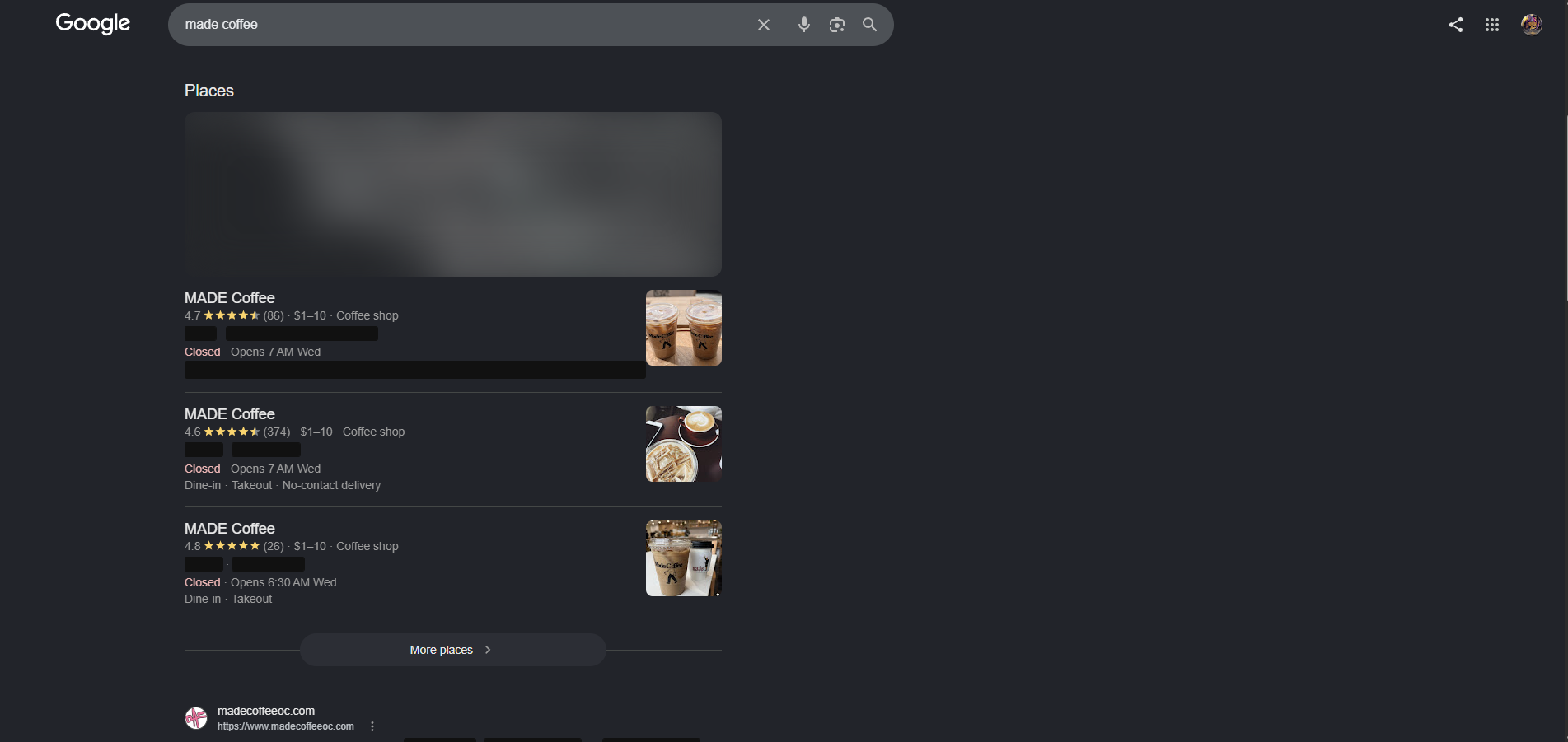
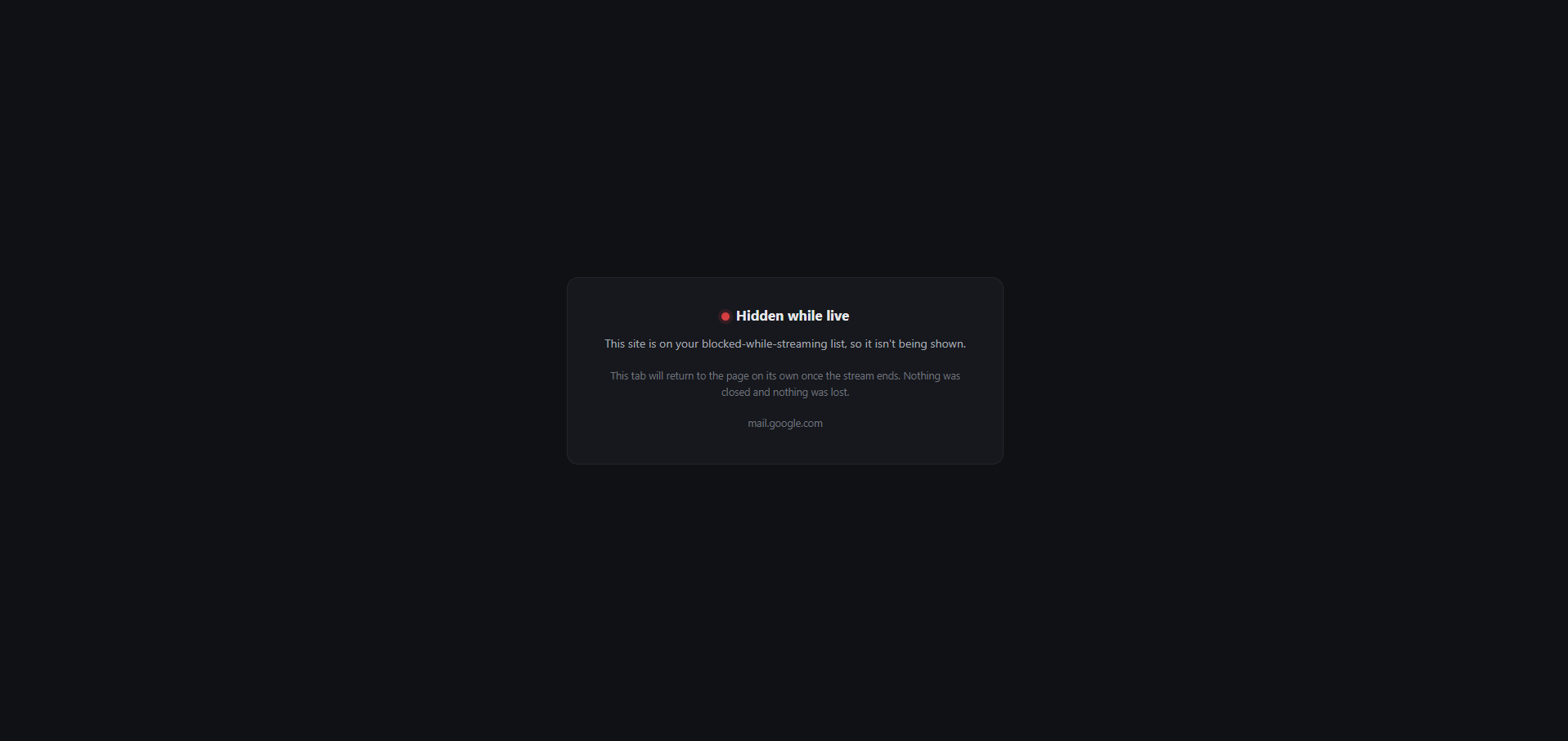
Core Features
| Area | Behavior |
|---|---|
| Redaction | A personal list of exact strings (name, address, old handles) plus generic patterns for emails, phone numbers, street addresses, and Luhn checked card numbers. Text is shown as a black bar or blended into the background. Form fields are masked whole, and the tab title and favicon are hidden when they give something away. |
| Location | Heavy blur and desaturation on Google Maps, the map in search results, embedded map iframes, static map images, and Leaflet, Mapbox, and OpenLayers widgets, plus a place name list and ZIP codes matched only in an address context. |
| Blocking | Mail hosts redirect to a local placeholder that remembers the original URL and navigates back on its own once the guard is off. No tab is closed and no saved draft is lost. |
| Hold to Peek | Holding a configurable shortcut (Ctrl+Shift+Space by default) reveals redactions with a warning banner across the top. Releasing the keys, switching tabs, or leaving the window hides everything again. |
| Health | On means verified: if any step of switching on fails, the toolbar badge shows ERR and the popup warns, instead of claiming protection it doesn't have. |
How It Works
A Manifest V3 extension with no build step, no dependencies, no server, and no network calls. One boolean in local storage decides whether the guard is armed or dormant.
| Piece | What it does |
|---|---|
| Service Worker | Holds the on/off state and drives every other piece between armed and dormant. Every arm and disarm runs through one serialized chain, so a slow arm can never finish after a later disarm and leave blocking rules behind. |
| In-Page Redactor | Registered for every page and frame only while armed, starting before the page renders. A MutationObserver redacts each node as it arrives, and the page stays hidden until the first scan finishes, with a short watchdog so a failure can never leave it blank. |
| Blocking | declarativeNetRequest redirect rules for speed, plus a second tabs listener for the navigations those rules silently miss. |
| Pages | A toolbar popup with the switch, a settings page, the blocked site placeholder, and a troubleshooting page, all styled on this site's design system with self hosted fonts and dark mode. |
Tools + Build
Chrome Extension (MV3)Vanilla JavaScriptService Workerchrome.scriptingdeclarativeNetRequestchrome.storageMutationObserverCSSKL UI V2MIT LicenseGitHub
Decisions Worth Calling Out
Cut the Live Signal Instead of Moving It. The original armed itself from a "stream is live" endpoint on the bot's server. Pointing it at a new server would have meant hosting something for every streamer, so the whole mechanism was removed. The trade-off is that the guard has to be switched on before going on screen, the same habit the original's Always On mode already asked for.
Off Means Unloaded, Not Idle. A content script on every URL is a permanent cost on every page. When the guard is off, the script is unregistered, so no extension code runs anywhere, and a backstop check stops a page from guarding itself if a registration ever outlives a disarm.
Text Is Barred or Blended, Never Blurred. Blurred text can be recovered from a recording, since the set of letters is small and known. Maps get heavy blur instead, because deblurring imagery isn't practical the same way.
Two Independent Blocking Paths. Chrome silently refuses declarativeNetRequest redirects for navigations with no initiator, like a typed URL or a bookmark. A second tabs listener does the same job, so either path alone can fail without the block failing.
Local Storage, Never Sync. Syncing a list of private details to a Google account would defeat the point of a tool meant to prevent doxxing, so settings never leave the machine.
Notable Challenges
A Map That Showed Before It Blurred
Symptom: In real Chrome testing, the map in Google's local results showed sharp and readable for up to a second, then eased into the blur. On a stream, that second is enough.
Fix: match what the page actually renders, in static CSS. Inspecting the live page showed two stages: first the visible tiles are an image whose real map URL sits in a data attribute while its source is a placeholder, so no map rule matched; then the card turns into an interactive map with no identifying role. Both stages are now covered by one shared selector list in static CSS, switched on by a single class, with transitions forced off so the blur lands on the first frame. An earlier approach that read the layout on every page change had pegged the CPU, so this fix avoids observers entirely.
A Favicon Fix That Broke Strict Sites
Symptom: Hiding the tab icon by pointing it at a blank inline image flooded the console with security policy violations on sites with a strict image policy, and the icon stayed visible.
Fix: stop the link from being an icon. Instead of swapping in an image, the guard changes each icon link's type so the browser no longer treats it as an icon. That works under any content security policy and also stops live icons, like an unread count, from updating on screen.
What It Can't Do
- Chrome's own interface. The address bar, downloads, and profile chip are off limits to any extension, so a map URL can still show coordinates in the address bar.
- Images and scans. Text inside images and scanned documents is not touched.
- Length. A black bar still shows how long the hidden text is.
- A short hidden moment. While armed, each page stays hidden for under 1.5 seconds while the first scan runs, and switching on does not rescan open pages instantly, so reload a page before showing it.