Pi-Tether
A self-hosted remote-access setup built on a Raspberry Pi. WireGuard and DuckDNS turn the home network into a private tunnel a MacBook can join from anywhere, for a full Remote Desktop session into a Windows desktop and its localhost dev servers. Built to replace Tailscale or a rented VPS with something owned outright, at the cost of doing the networking and the ongoing maintenance by hand.
Deployed at home and confirmed with a real remote RDP session over a cellular hotspot. Security hardening and a full write-up are still in progress.
Project Overview
Give a MacBook a private tunnel into the home network from anywhere, so it can open a full Remote Desktop session on a Windows desktop and reach its localhost dev servers, with no files carried back and forth.
Commercial options solve this instantly. Tailscale is free for personal use and a small VPS runs a few dollars a month. Neither one is free forever, and neither one teaches how the tunnel actually works.
Self-host the WireGuard server on a Raspberry Pi already living on the home network, paying about $174 once instead of a subscription, and treating the build itself as a hands-on networking project.
Hardware
A Raspberry Pi 4 Model B (2GB), the official USB-C power supply, the official case, and a high-endurance 32GB microSD card, chosen for the continuous 24/7 write workload a standard card is not built for. All parts, no subscription, about $75 total.
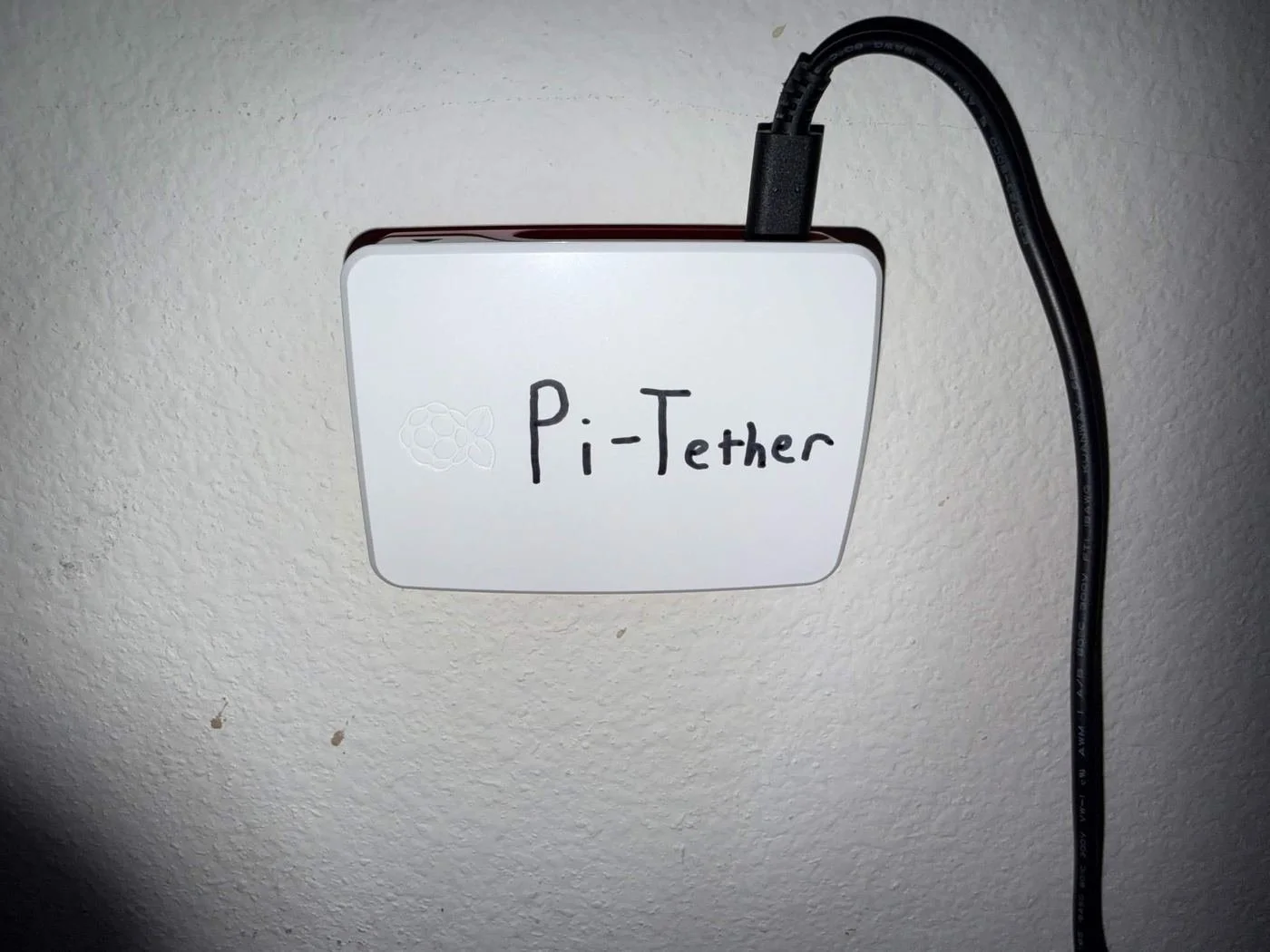
The Pi-Tether unit, labeled and mounted on the wall, connected over Wi-Fi since it can't sit next to the router.
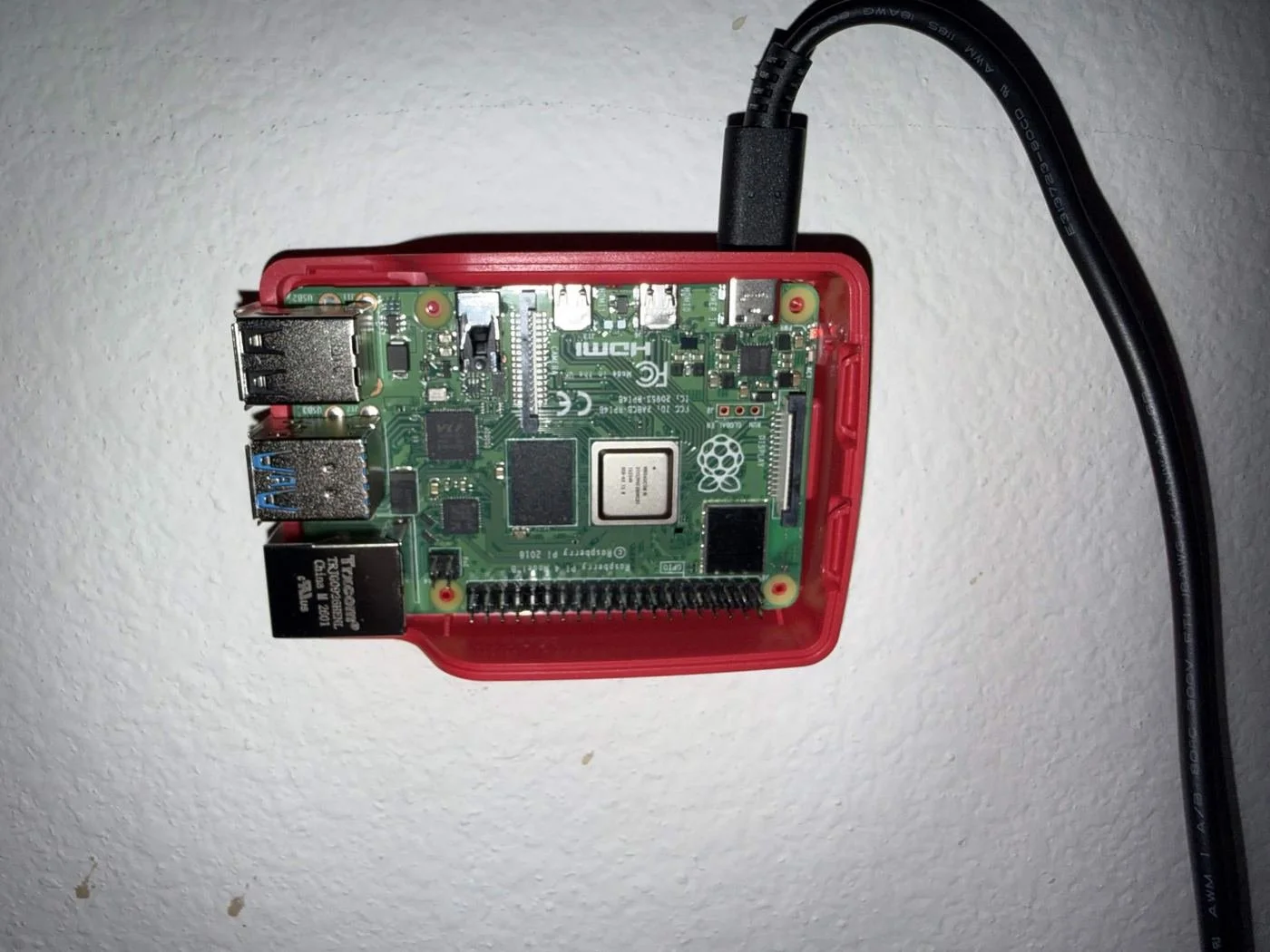
Inside the case: a Raspberry Pi 4 Model B running Raspberry Pi OS Lite, headless.
How It Works
Internal addressing runs on a private 10.0.0.0/24 subnet: the Pi at 10.0.0.1, the desktop pinned to 10.0.0.2, the MacBook pinned to 10.0.0.3. Clients use a split tunnel, with AllowedIPs scoped to that subnet instead of 0.0.0.0/0, so only home-network traffic crosses the tunnel and everything else on the MacBook stays on its normal connection.
MacBook, Anywhere
Runs the WireGuard app and Microsoft's Windows App as the RDP client. Joins the tunnel over its normal internet connection, wherever that happens to be, cellular included.
Home Router
A Spectrum-managed gateway with UDP 51820 forwarded to the Pi and a static DHCP reservation, so the forwarded port always points at the right device. Configured through the My Spectrum app, since there is no browser admin panel.
Raspberry Pi
Runs the WireGuard server and a cron job that keeps DuckDNS pointed at the home network's current public IP. It is the only device in the whole setup with a forwarded port.
Desktop PC
A WireGuard client that hosts the actual RDP session, reached over Wi-Fi on the home network. Upgraded to Windows 11 Pro specifically to support RDP hosting.
Tools + Build
Decisions Worth Calling Out
Self-Hosted Over Tailscale or a VPS
Chose to run the WireGuard server itself rather than a managed mesh network or a rented VPS, to keep ongoing cost near zero and turn the build into a hands-on networking project. Accepted trade-off: more setup effort and ongoing maintenance, patching and monitoring, than a managed service would require.
Pi 4 Over the Cheaper Pi Zero 2 W
The Zero 2 W is Wi-Fi only with no ethernet port, a downside even before placement is factored in. The Pi 4 costs more but leaves headroom for later additions, like a status dashboard or automation scripts, with no hardware change.
Wi-Fi Over Ethernet for the Pi
The Pi cannot physically sit near the router, so it connects over Wi-Fi. WireGuard does not care about the underlying transport, and tunnel traffic sits far below Wi-Fi's bandwidth ceiling, a minor reliability trade for real placement flexibility.
High-Endurance microSD Over a USB SSD
A continuous 24/7 write workload wears out a standard microSD card. A high-endurance card, the same class used in dash cams and security cameras, is built for exactly that. Actual storage needs are a few gigabytes, well under what an SSD's capacity is priced for.
Split Tunnel, Not Full Tunnel
AllowedIPs is scoped to the tunnel's internal subnet rather than 0.0.0.0/0, so only traffic bound for the home network crosses the tunnel and the MacBook's normal internet use is untouched.
Skipped Raspberry Pi Connect
Left off Raspberry Pi's own cloud-relay remote access option. It is redundant with the WireGuard setup already built and reintroduces the managed-service dependency this project was built to avoid. SSH covers admin access, WireGuard covers everything else.
Notable Challenges
Two separate problems surfaced in the same build session, worth documenting because neither one produced a normal error message.
A Tunnel That Looked Active and Wasn't
The first real test, the desktop connecting through the public DuckDNS hostname, failed silently: WireGuard showed the tunnel as active, bytes sent but zero received, no handshake, and no error anywhere.
Two Endpoints, One Per Role
Diagnosed as NAT hairpinning: the router will not loop traffic back inside when it is addressed to its own public IP from a device already on the home network. Confirmed by pointing the desktop's endpoint at the Pi's LAN IP instead, which handshook instantly, then made that permanent. The desktop, which never leaves home, uses the Pi's LAN IP; the MacBook, which roams, keeps the public DuckDNS hostname.
Windows 11 Home Can't Host RDP
With the tunnel verified end-to-end via wg show on the Pi, live handshakes and real traffic counters for both peers, RDP itself still failed. Not a bug: Windows 11 Home does not support hosting a Remote Desktop session at all.
Weighed Three Fixes, Paid for the Supported One
Compared a $99 one-time Pro upgrade against RDP Wrapper (free, unofficial, fragile against Windows updates) and VNC (free, works on Home, different client and less WAN-optimized). Took the Pro upgrade to keep the build fully supported. Final proof was the MacBook completing a real RDP session over a cellular hotspot, confirming the full chain end-to-end from an actual outside network.
What It Feels Like
Below the Lag Threshold
Measured 16ms round trip and about 19.8 Mbps available bandwidth from a school network, read straight off the Windows App's connection stats overlay. Comfortably under the 50 to 70ms range where typing and mouse input start to feel laggy.
Close to Native
Hitting a localhost dev server through the tunnel is just a normal HTTP request with the same small overhead, close to native for day-to-day coding work.
Upload Bandwidth Is the Real Limit
Full-screen RDP smoothness is capped by the home ISP's upload bandwidth, common on cable internet, not by the Pi or by WireGuard itself.
What It Actually Cost
$75, One Time
Pi 4 Model B (2GB), official USB-C power supply, official case, and a high-endurance 32GB microSD card.
$99, One Time
Windows 11 Home to Pro upgrade, needed only because RDP hosting requires it.
$0 a Month
DuckDNS and WireGuard are both free indefinitely. The only recurring cost is maintenance time, not money, versus Tailscale's free tier or a low-cost VPS billed every month.
What's Next
Hardening Write-Up
SSH key-only auth, ufw, and unattended-upgrades, documented as deliberate security decisions rather than just setup steps.
Infrastructure as Code
A script or Ansible playbook to provision the whole build reproducibly, instead of repeating the manual setup by hand.
Status Dashboard
A small self-hosted page, or Uptime Kuma, showing tunnel status, last handshake, and latency at a glance.
Wake-on-LAN
An authenticated endpoint on the Pi so the desktop does not have to stay always-on to be reachable.