The bot and overlays run 24/7; the VOD pipeline runs on a schedule after each stream. Overlays are public, the admin panel sits behind Twitch login.
Twitch Stream Toolkit
A config-driven Twitch bot with a real-time OBS overlay system and a Twitch-authenticated web admin panel, built on Node with zero web dependencies and deployed on AWS behind automatic HTTPS. Paired with a companion Chrome extension that automates on-stream privacy protection, and a separate automated pipeline that downloads, processes, and uploads every finished VOD to YouTube. Built for a live channel (internally “bob-a-bot”), then generalized into a reusable, secret-free template.
Design, build, deploy, and ops, end to end, across the bot, the extension, and the upload pipeline.
Full-stack + DevOps: a Node bot, real-time overlays, an OAuth admin panel, a self-hosted cloud deployment, and an automated VOD-to-YouTube pipeline.
Channels It Runs For
Live: Runs 24/7 on twitch.tv/bobavillain, the channel it was originally built for. In chat it posts as “bob_a_bot”, since Twitch usernames allow underscores but not dashes.
Scalable: Because the whole platform is config-driven, the same bot can be stood up for additional channels from a single JSON file, with no code changes.
Project Overview
Purpose: One self-hosted system that covers counters, song requests, alerts, moderation, on-stream overlays, on-stream privacy, and the after-stream VOD upload, fully controllable by the streamer and their mods.
Problem: Streamers usually stitch together several paid third-party services to cover these features, plus a manual video-editing/upload routine after every stream. This replaces all of it with a single system the streamer owns and controls.
Approach: Built for one specific channel, then generalized into a config-driven template so the same platform can be stood up for anyone. The bot, the extension, and the VOD pipeline are three separate codebases that share one Twitch identity, not one monolith.
Core Features
| Category | Includes |
|---|---|
| Chat & Channel Points |
|
| Moderation & Community |
|
| OBS Overlays |
|
| Web Admin Panel |
|
| External Services |
|
| Live Events (EventSub) |
|
Overlay Preview
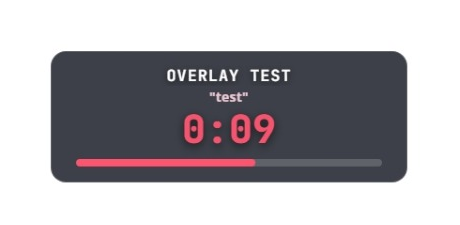
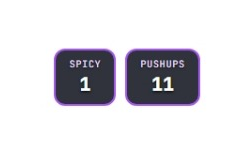
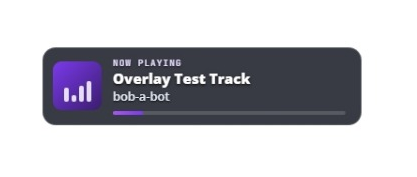
How It Works
A single long-lived Node process connects to Twitch chat and EventSub and starts an embedded web server in the same process, with no separate services to orchestrate.
| Layer | Role | What it does |
|---|---|---|
| Process | Bot Core | One long-lived Node process, connected to Twitch chat and EventSub. |
| Web Layer | Embedded Server | Serves the OBS overlays over SSE, serves the Twitch-OAuth admin panel, and exposes a small JSON API the panel calls. |
| Edge | Reverse Proxy | Caddy sits in front on port 443 for HTTPS and proxies to the bot on an internal port, keeping the Node process off the public interface. |
| State | Flat-File Persistence | Counters, commands, quotes, and timers persist to JSON files on disk, one file per feature. No database to run. |
VOD Uploader
Purpose: A separate, standalone pipeline that turns every finished stream into a published YouTube video with no manual editing or upload step. It runs on a schedule after every stream, downloads the VOD, trims dead air, prepends a rendered title card, builds chapters, and uploads it, landing as Unlisted for a quick look before going public.
Integration: The bot's own vodChapters feature is the only link between the two systems: it subscribes to Twitch's channel.update EventSub and calls Create Stream Marker whenever the category changes, plus once at stream start. The VOD Uploader reads those markers back after the stream via Get Stream Markers and converts them into YouTube chapter timestamps. The bot has no other awareness of the uploader and keeps working fine if that project is ever removed.
Queue and Shorts: A page on the bot's server, behind Twitch login, lists recent VODs with their upload status so the streamer can queue an upload instead of waiting for the next scheduled run. The pipeline checks that queue every 5 minutes, and every request goes outbound from the home PC, so no inbound port is opened. The same page lists the channel's Twitch Clips by view count, and a queued clip becomes a vertical YouTube Short: Twitch's own portrait version when it includes the facecam, otherwise a two band layout built around a face found by an OpenCV face detector (YuNet), and a plain center crop only if no face is found. Every Short is normalized for loudness and carries a follow overlay.
| Stage | What happens |
|---|---|
| Detect | Polls Twitch for the channel going offline plus a finished, unprocessed VOD; each scheduled run does one check and exits. |
| Download | Pulls the full VOD with yt-dlp, TTY-aware so progress is compact live and newline-verbose in the log file. |
| Process | ffmpeg trims leading/trailing dead air (no mid-stream cuts) and prepends a rendered title card: word-wrapped title, date, and Twitch link over a custom backdrop. |
| Chapters | Reads the bot's Twitch stream markers back and converts them into YouTube's chapter-timestamp format, forcing the first chapter to 0:00. |
| Upload | Resumable upload via the YouTube Data API, landing as Unlisted; processed.json tracks the VOD ID so a re-run never double-uploads. |
VOD Uploader Decisions
Device-Code Flow Over Delegated Access. Twitch and YouTube both authenticate over the OAuth device-code flow: a short code and link go to the streamer, who approves directly from her own device as the account owner. Chosen after a Brand-Account-Manager approach, authenticating as a delegate rather than the owner, turned out to be unreliable in practice.
Unlisted, Not Public. Uploads land as Unlisted rather than fully public, so every VOD gets a look before it's shared, without turning the pipeline into a manual publish step. Started as Private, moved to Unlisted once the review step proved reliable in practice.
A Duration Cap Before the Expensive Steps. YouTube hard-caps a single upload at 12 hours even on a verified account. Raw duration is checked against an 11.5-hour cap right after download, before the costly silence-detect, encode, and upload steps run, and a too-long VOD is recorded in processed.json's skipped map instead of retried forever.
Streamer Privacy Guard
An unpacked Chrome extension that redacts personal information and blocks mail sites, but only while the stream is live. Offline, it is fully unloaded rather than merely disabled: no content script runs, no blocking rules exist, nothing executes on any page. Not published to the Chrome Web Store by design; loaded unpacked on the streaming machine. A standalone 2.0 version for any streamer is now public on GitHub (see below).
| Aspect | Behavior |
|---|---|
| Signal | Polls a public /live endpoint added to the existing bot server, backed by an in-memory value that Twitch EventSub keeps current, so checking it costs nothing. A missing or stale signal is treated as live, so a dropped connection can never silently un-blur the screen. |
| Redaction | A personal list of exact strings (name, address, old handles) plus generic safety-net patterns for emails, phones, addresses, and Luhn-checked card numbers. Three looks are available: blend, black bars, and a tunable blur, chosen per field. |
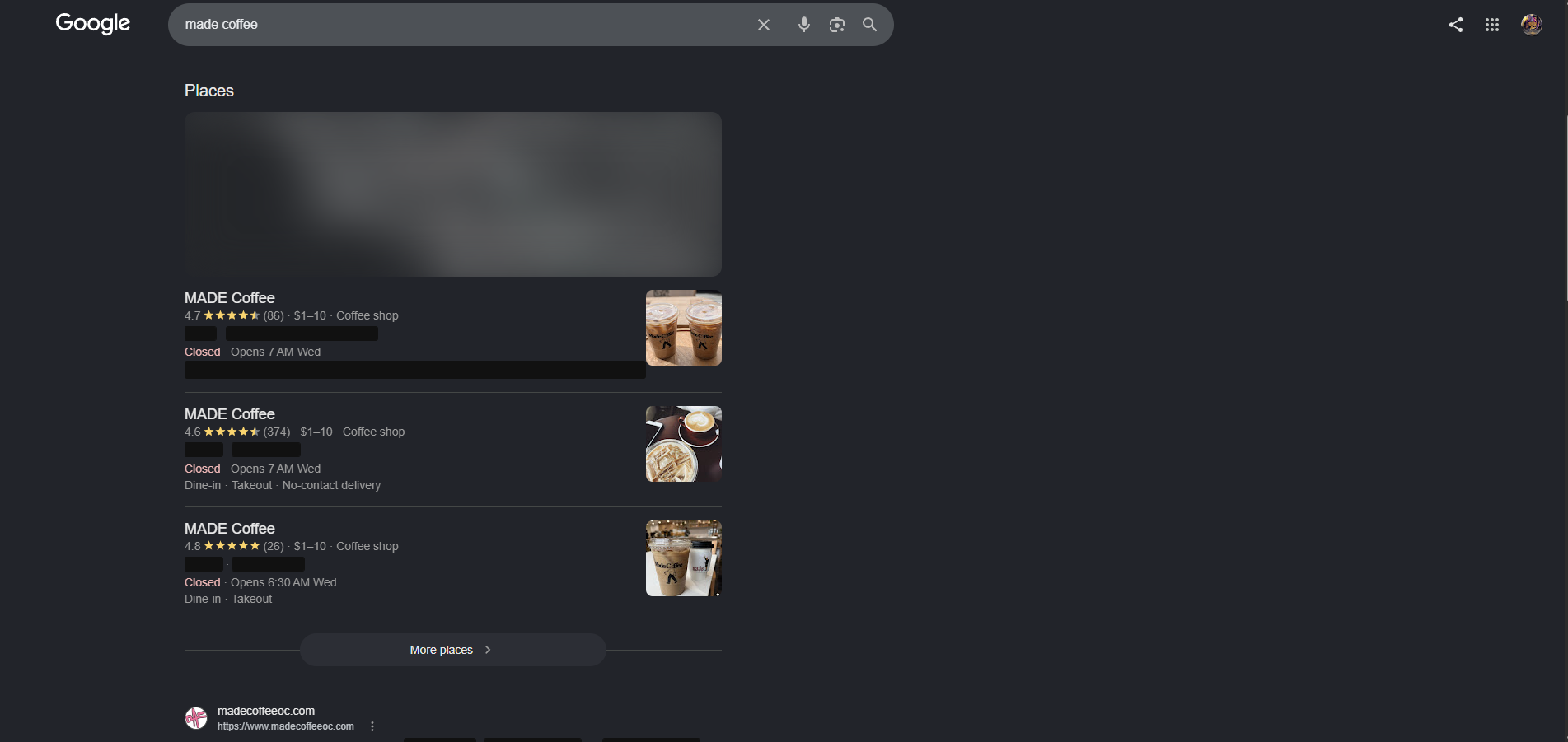
| Location | Blurs and desaturates map surfaces across Google Maps, embedded iframes, and Leaflet/Mapbox/OpenLayers widgets, and hides the location furniture search engines and shops wrap around a city, down to context-matched ZIPs and a curated place-name list. |
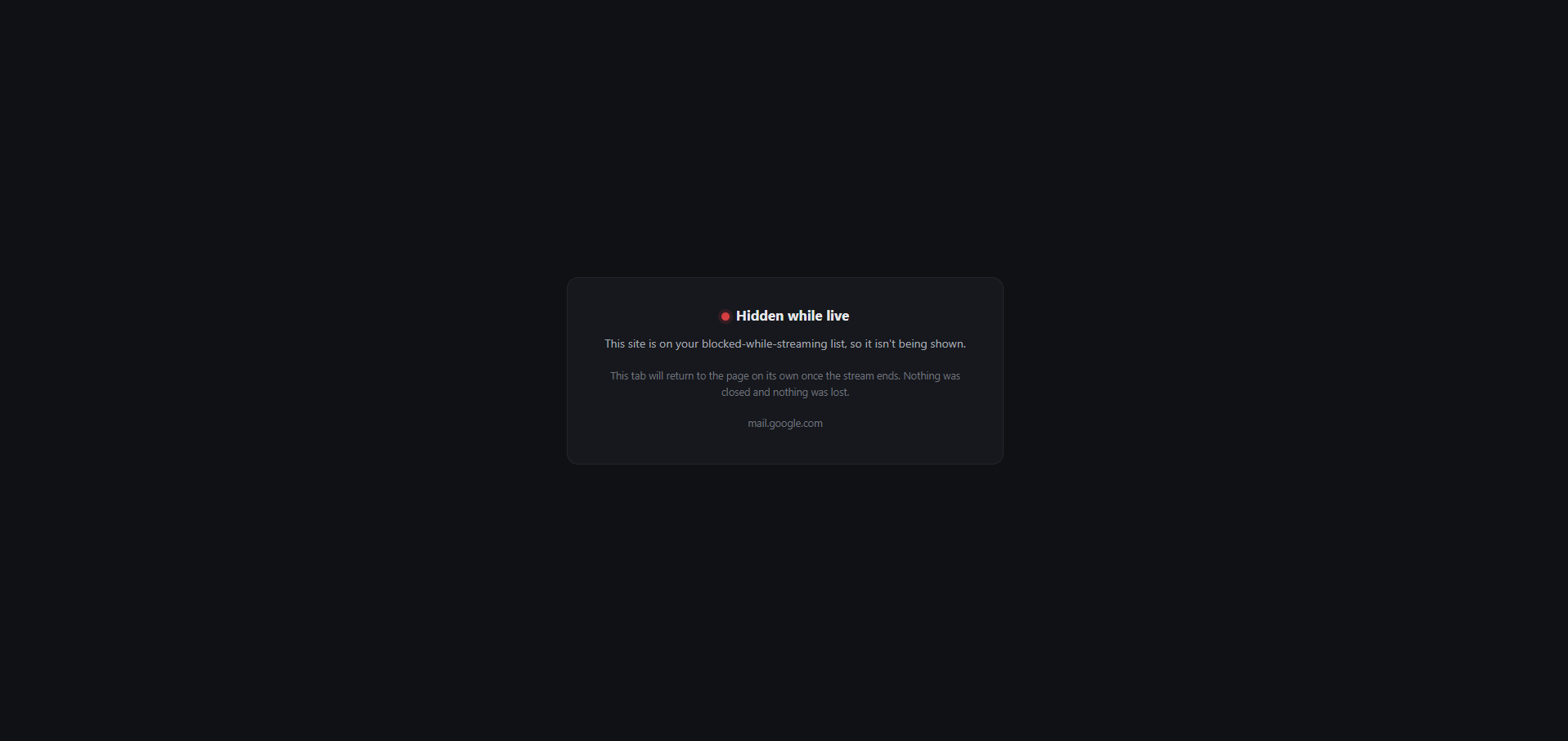
| Blocking | Mail hosts redirect to a local placeholder that carries the original URL and navigates back on its own once the stream ends. Nothing is closed and no draft is lost; the tab title is blanked before the redirect so the address never flashes. |
| Modes | Auto follows the live signal for normal use. Always On arms it for testing or a minute before going live. Always Off stays fully dormant. Both forced modes badge purple so a test can never be mistaken for a real live signal. |
| Escape Hatch | A configurable hold-to-peek shortcut reveals redactions only while held, with a warning banner across the top. Releasing the key, switching tabs, or leaving the window all re-hide immediately. |
Privacy Guard Decisions
Unknown State Means Stay Redacted. A missing check or one older than two minutes is treated the same as live. Worst case is mild annoyance browsing off-stream; the alternative worst case is a doxx on stream, so the fallback only ever leans toward more redaction, never less.
Text Is Barred or Blended, Never Blurred. A blurred string can be undone by rendering candidate text at the same radius and matching against the frame, since the alphabet is small and known, a documented attack a VOD gives unlimited time to run. Maps get heavy blur instead, since deblurring imagery isn't practical the same way.
Dormant Means Unloaded, Not Idle. The content script is registered when live and unregistered when offline through chrome.scripting, so when the stream is down no extension code runs on any page at all rather than sitting idle on every tab.
Two Independent Blocking Paths. Chrome silently refuses declarativeNetRequest redirects for null-initiator navigations, like a typed URL, with no error anywhere. A second, independent tabs listener does the same job so either path alone can fail without the block failing.
Standalone Version 2.0
The guard was split out of the bot into its own extension, so a streamer with no connection to this bot can use it. Version 2.0 is public on GitHub as a downloadable zip and loads unpacked, the same as the original.
| Aspect | Change |
|---|---|
| Arming | A manual On/Off switch in the toolbar popup. The live signal, Auto mode, and the stale signal fail-safe were removed rather than pointed at a new server, so there is nothing to host and the extension makes no network calls. The trade-off: it has to be switched on before going on screen. |
| Reliability | Every arm and disarm step runs through one serialized chain, so a slow arm can never finish after a later disarm. On means verified: if any step fails, the badge shows ERR and the popup warns instead of claiming protection. |
| Maps | The map in Google's local results is blurred from the first frame, using static CSS rather than a page observer, so it never shows sharp before the blur lands. |
| Look | Restyled on this site's design system, with self hosted fonts, dark mode, and a new shield icon. |
| Release | MIT licence and a troubleshooting page. No build step and no dependencies. Still not on the Chrome Web Store. |
Tools + Build
Node.js 18+ES ModulestwurpleTwitch Helix APITwitch EventSubOAuth 2.0OAuth Device Code FlowServer-Sent EventsNode httpcrypto HMAC SessionsSpotify Web APIDeepL APIVanilla HTML/CSS/JSAWS EC2CaddyLet's Encrypt TLSpm2cron BackupsWatchtower MonitoringFlat-file JSONChrome Extension (MV3)declarativeNetRequestchrome.scriptingMutationObserveryt-dlpffmpegYouTube Data API v3PythonOpenCV (YuNet)Windows Task Scheduler
Decisions Worth Calling Out
Config-Driven, Not Hard-Coded. Around 40 features toggle and tune through a single JSON file, so a non-developer can reconfigure the bot and it generalizes cleanly into a template. This is the core architectural bet.
Zero Web Dependencies. Routing, SSE, sessions, OAuth, and CSRF are all built on Node built-ins plus fetch: no Express, no framework, no build step. Tiny footprint and minimal supply-chain surface.
SSE-Driven Overlays. Overlay updates are one-directional, so Server-Sent Events beat WebSockets here: simpler, auto-reconnecting, no library. Countdowns tick locally in the browser from a server-sent end timestamp, so they stay smooth and network-light.
Security by Least Exposure. Overlays are gated by a secret key; the admin panel is Twitch-OAuth gated to an allowlist and mods, with HMAC-signed SameSite=Lax session cookies and a custom-header CSRF check. No secrets ever reach the client.
Deployment & Reliability
| Aspect | Detail |
|---|---|
| Cloud | The bot runs on an AWS EC2 instance (Amazon Linux) with pm2 for process management and reboot persistence, on a static Elastic IP with DNS via a subdomain. |
| HTTPS | A Caddy reverse proxy provisions and renews Let's Encrypt certificates automatically, so HTTPS is hands-off. |
| Backups & Monitoring | Nightly cron backups protect the bot's flat-file data. Watchtower, a separate monitor on AWS built to watch every kevinlewis.net site and service, checks the bot's /health endpoint every 5 minutes and emails an alert after two failures in a row, so outages surface without anyone noticing them first. |
| VOD Pipeline | Runs locally on Kevin's PC, not on the EC2 box: ffmpeg encoding and multi-gigabyte VOD transfers don't belong on the small always-on instance that runs the bot. Triggered by Windows Task Scheduler every 6 hours instead of running as a long-lived service. |
| Reuse | Extracted a generic, secret-free bot template from the live instance without taking it down, genericizing hard-coded labels into config along the way. |
Engineering Challenges
Multi-Timer Reconciliation
Several timers can run at once (challenge redeems plus reminders). The overlay reconciles a live list over SSE and cycles through them (~15s each), giving each its own style and an independent local countdown.
Readable Over Any Scene
Overlays have to read over arbitrary gameplay footage. Solved with solid tile backings and text outlines (no drop shadows), tested against both bright and dark scenes.
A Corrupted Source Mid-Encode
Symptom: A background scheduled VOD-Uploader run and a manually-triggered one ended up processing the same VOD at the same time. The manual run's download overwrote the source file the scheduled run's ffmpeg was actively reading, mid-encode: the file size ballooned from a clean 8.58GB to 16.39GB with no crash and no error, just silently corrupted output.
Fix: caught by comparing file sizes, not an error message. Stopped both processes, wiped the working directory, confirmed nothing false had been recorded, and reran clean. No automated lock exists yet: the rule going forward is discipline, not enforcement. Never trigger a manual run while the scheduled task might already be active.
More projects like this
← Back to all projectsHydration Station
Serverless Discord bot on AWS Lambda and DynamoDB.
Serverless · Discord BotStreamer Privacy Guard
Chrome extension that redacts personal details while on stream.
Chrome Extension · PrivacyLeague Desk
Node and SQL Server app on a home AD, Entra ID and Intune lab.
Home Lab · Windows & Identity